I was responsible for assisting my supervisor in the organization and allocation of over 8,000 parking passes for the event. I created this document to assist the organization and planning process.
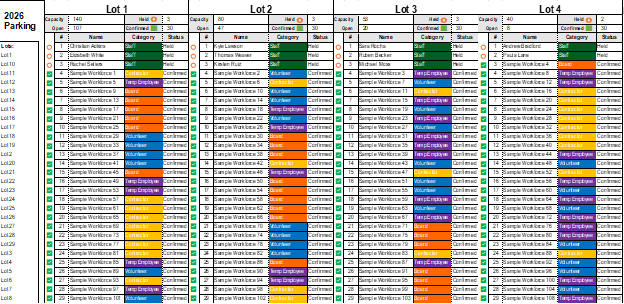
Assignment Dashboard
All assignments are automatically populated here. The lot information is and capacities are populated automatically as well.
Staff Assignment Tab
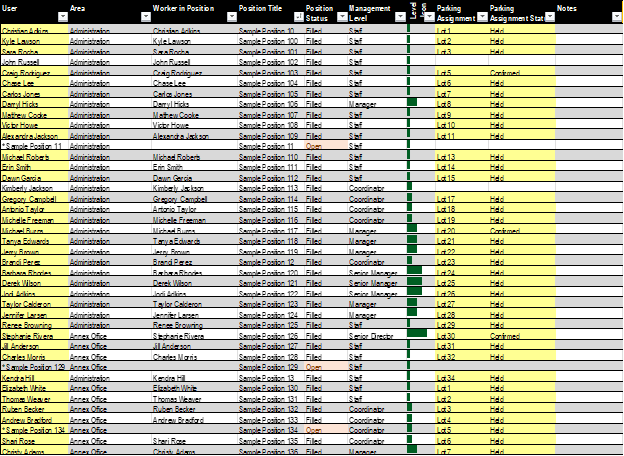
Given that we have the names, position, location, management level, etc. all available, we had a separate worksheet to help organize all assignments for internal staff.
This page has all necessary information for each staff member, including their management level (with visual bar feature), which often determines lot assignment.
Workforce Assignments Tab
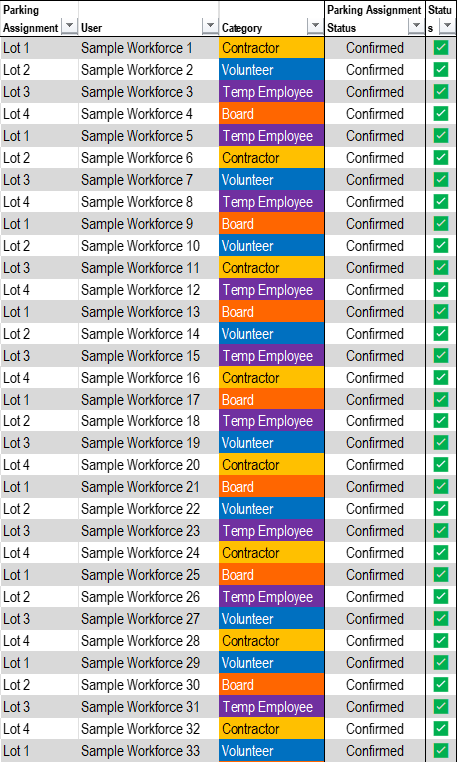
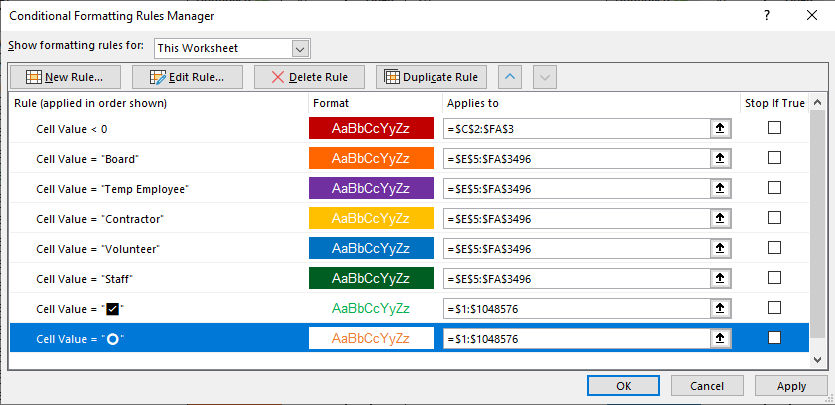
This tab tracks the parking assignments for all non-staff working individuals. The “Category” column is conditional formatted to help visually distinguish groups from each other.
Lots Tab
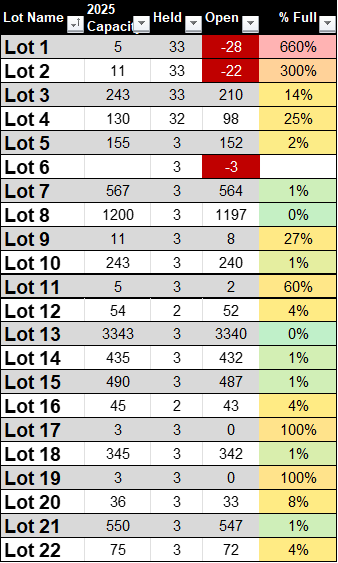
This sheet houses all data for lots used during the event. The “Held” and “Open” columns are automatically populated from the list containing all parking assignments.
Power Query – All Assignments Tab
This tab uses Power Query to combine all parking assignments in to one table. This table is where the information for the Assignment Dashboard is pulled from, using formulas.

Conditional Formatting Example
This screenshot shows the conditional formatting used on the Workforce Assignments tab. I use conditional formatting frequently to help call out data without having to apply formatting manually.
 Alaina Gwin